FridaManager — Managing frida-server from Settings
Why I Built This
Anyone who has used Frida on a jailbroken iOS device knows the problem. Not every frida-server version works well with every device and iOS combination. Certain versions may not work reliably, leading to crashes or failing to attach to processes. When that happens, you need to downgrade to an older version that actually works.
The problem is that package managers like Sileo, Zebra and Cydia only offer the latest version.
If you need an older release, you have to manually download the correct .deb from
GitHub, transfer it to the device and install it via SSH, a terminal app or a package manager.
The same applies to basic operations like starting and stopping the server since there is no GUI
for it. You need either an SSH session or a terminal emulator on the device just to run
launchctl commands.
FridaManager was created to solve both problems. It adds a panel directly in Settings.app where you can browse and install any frida-server version from the official GitHub, start and stop the server, change the listening port and manage everything without ever opening a terminal.
Installation
FridaManager depends on libSandy and PreferenceLoader. Both are available from the default repos and will be installed automatically when using a package manager. Both rootless (Dopamine, palera1n rootless) and rootful (unc0ver, palera1n rootful) builds are available.
Option 1 — 027042.xyz Repository
You can also install it from the 027042.xyz
repository. Add https://027042.xyz/ as a source in your package manager, then search
for FridaManager and install it. The repository supports Sileo, Zebra and Cydia.
Option 2 — Manual Install
Download the appropriate .deb for your jailbreak type from the
GitHub releases page
and open it with your package manager, or install via terminal:
dpkg -i com.b1tbreaker.fridamanager_1.0.0_iphoneos-arm64.debdpkg -i does not resolve dependencies. Make sure libSandy and
PreferenceLoader are installed first.
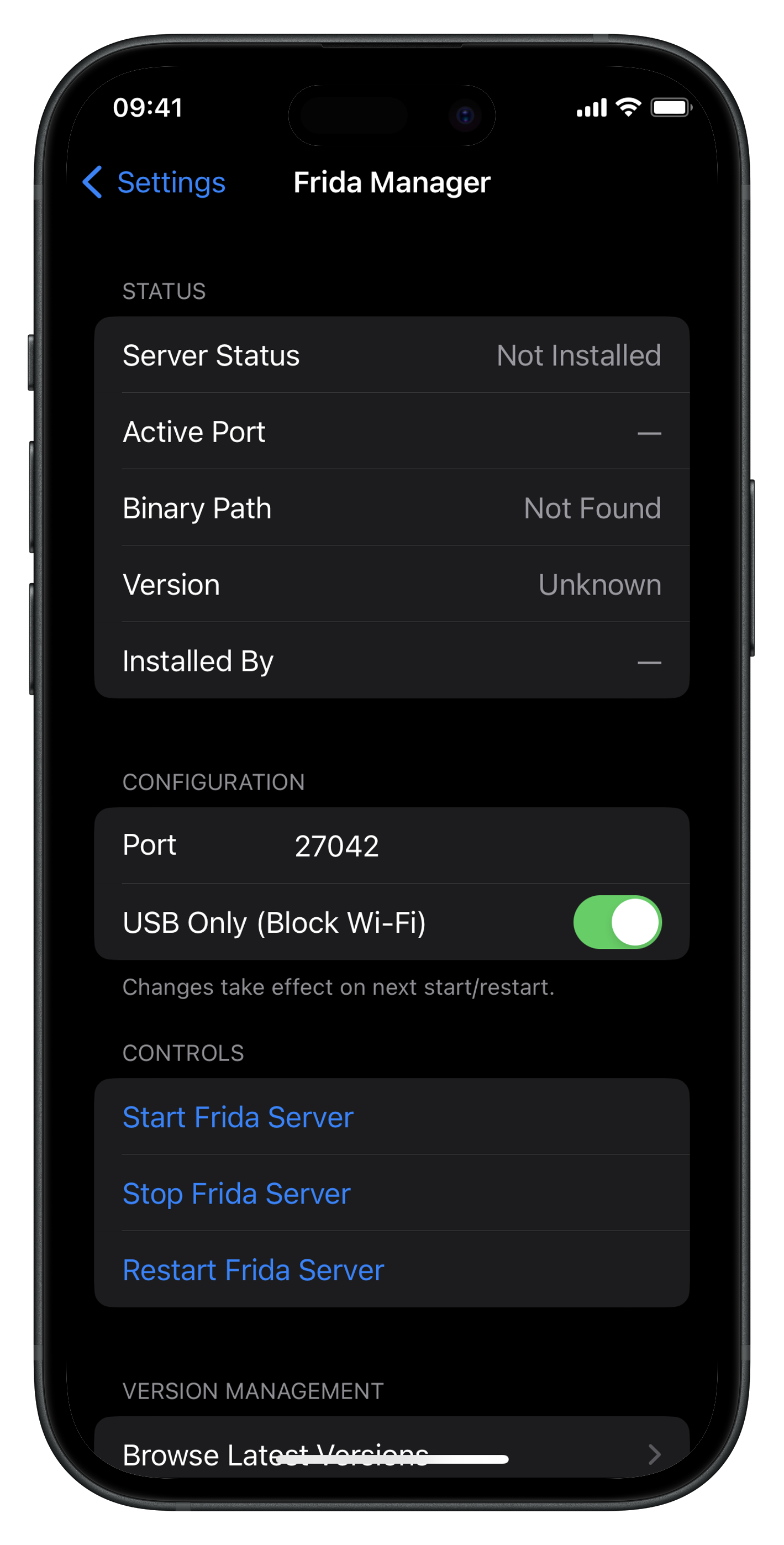
Once installed, open Settings and scroll down to find FridaManager.
Downloading and Installing frida-server
If you don't have frida-server installed yet, or want to switch to a different version, FridaManager can download and install it directly from GitHub.
Browse Latest Versions
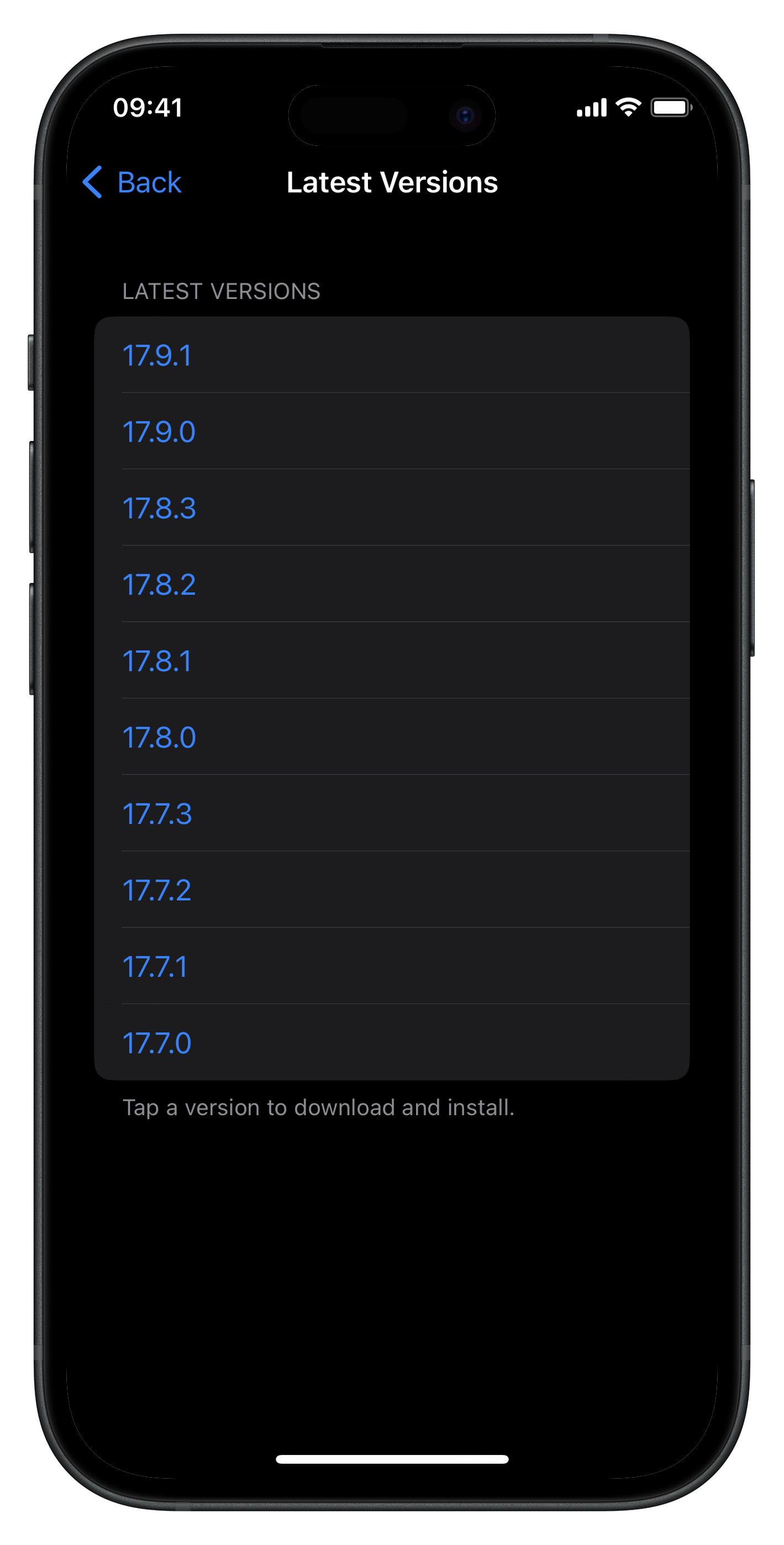
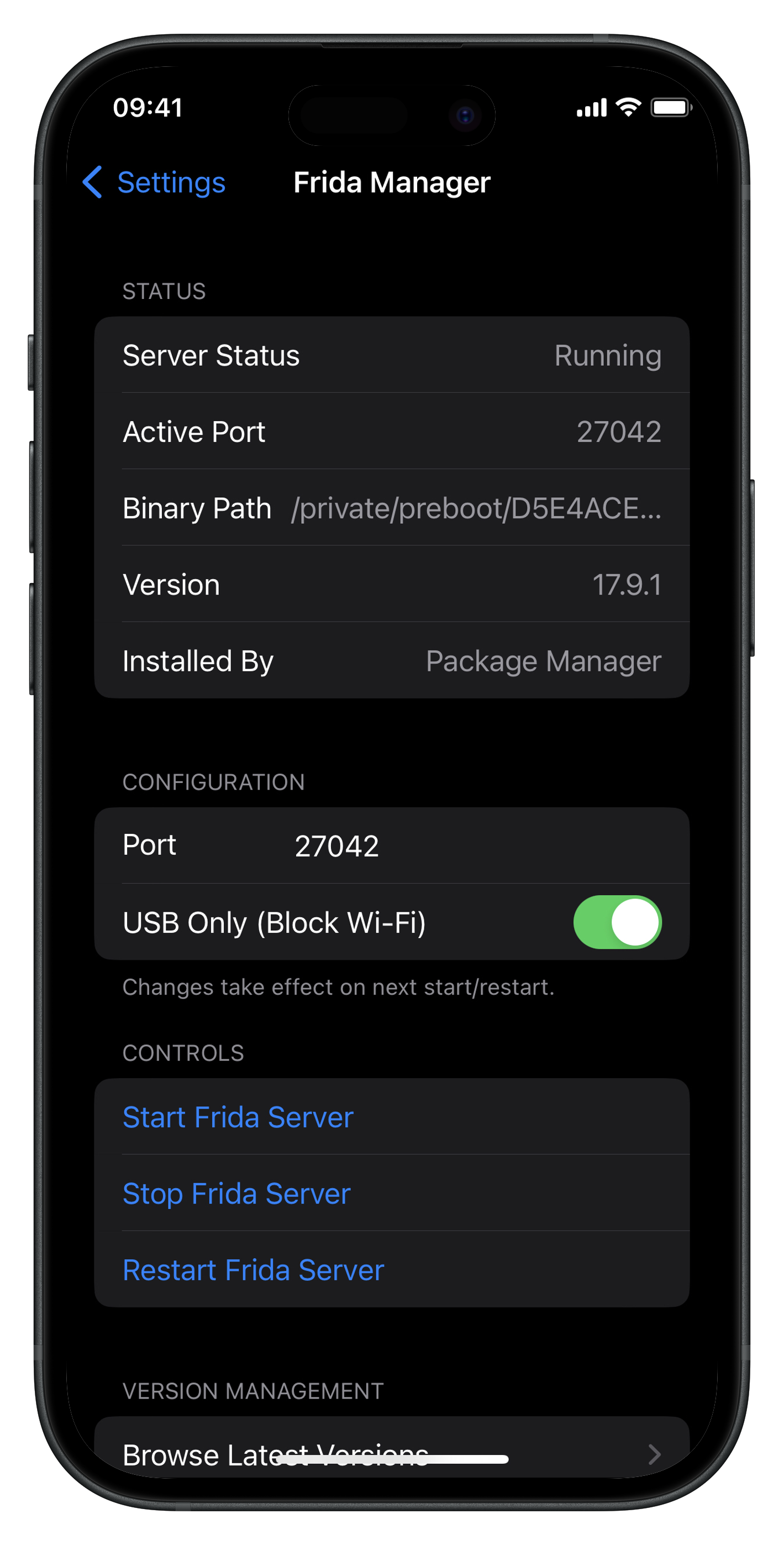
Tap Browse Latest Versions under Version Management. FridaManager fetches the available releases from the official GitHub and displays them in a list. Tap any version to download and install it.
Custom Version Install
If you need a specific version that isn't in the list, type it manually in the
Custom Version field (e.g., 16.3.3) and tap
Install Custom Version. FridaManager will download the correct binary for your
device architecture from GitHub and install it.
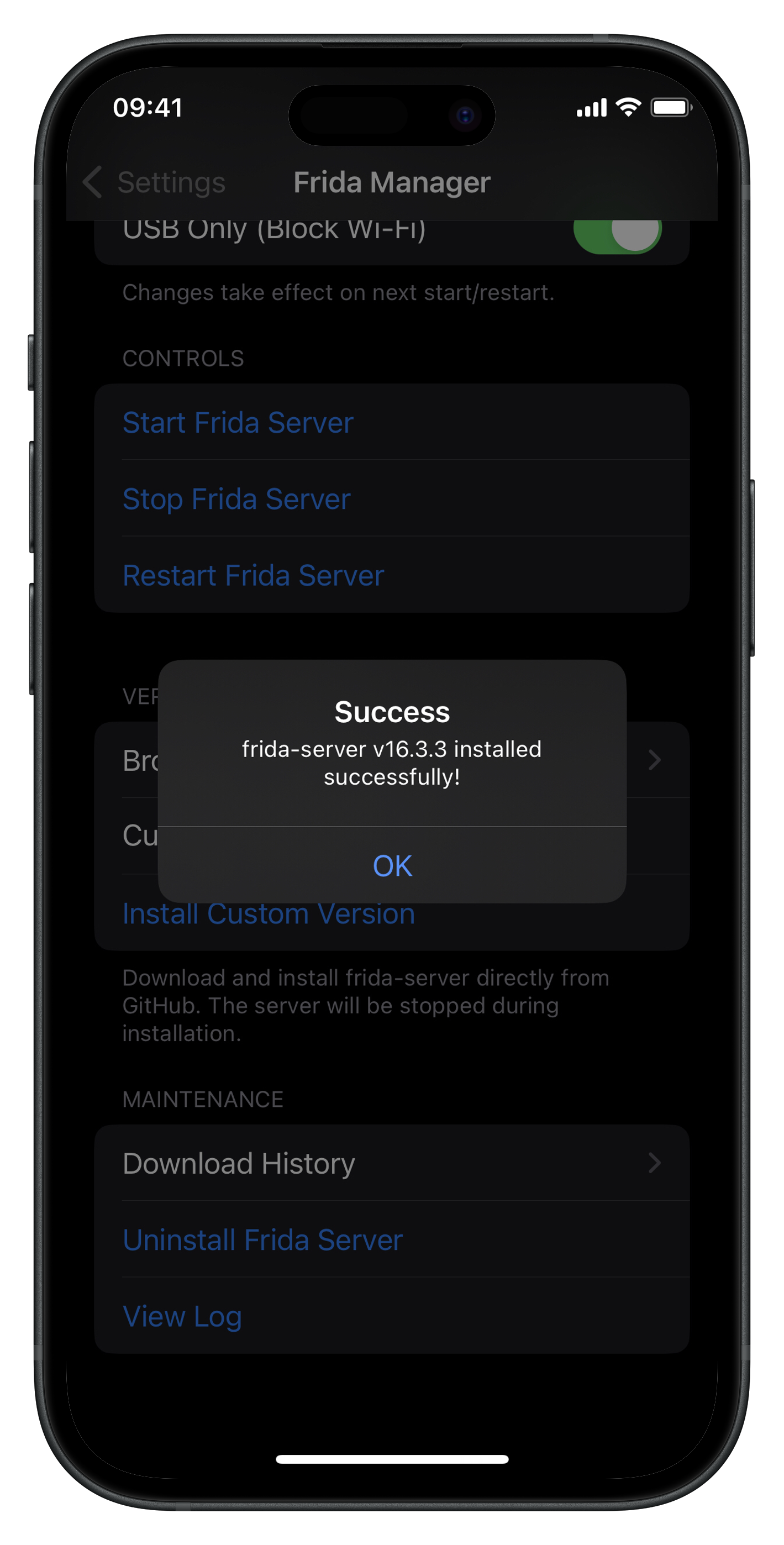
During installation, FridaManager automatically stops the running server (if any), downloads the
.deb from GitHub, extracts the frida-server binary, installs it and cleans up the
temporary files. The entire process takes a few seconds.
Starting and Stopping the Server
Once frida-server is installed, managing it is straightforward. The Controls section provides three buttons:
- Start Frida Server — starts the server with the configured port and listen address
- Stop Frida Server — stops the running server
- Restart Frida Server — stops and immediately restarts with the current configuration
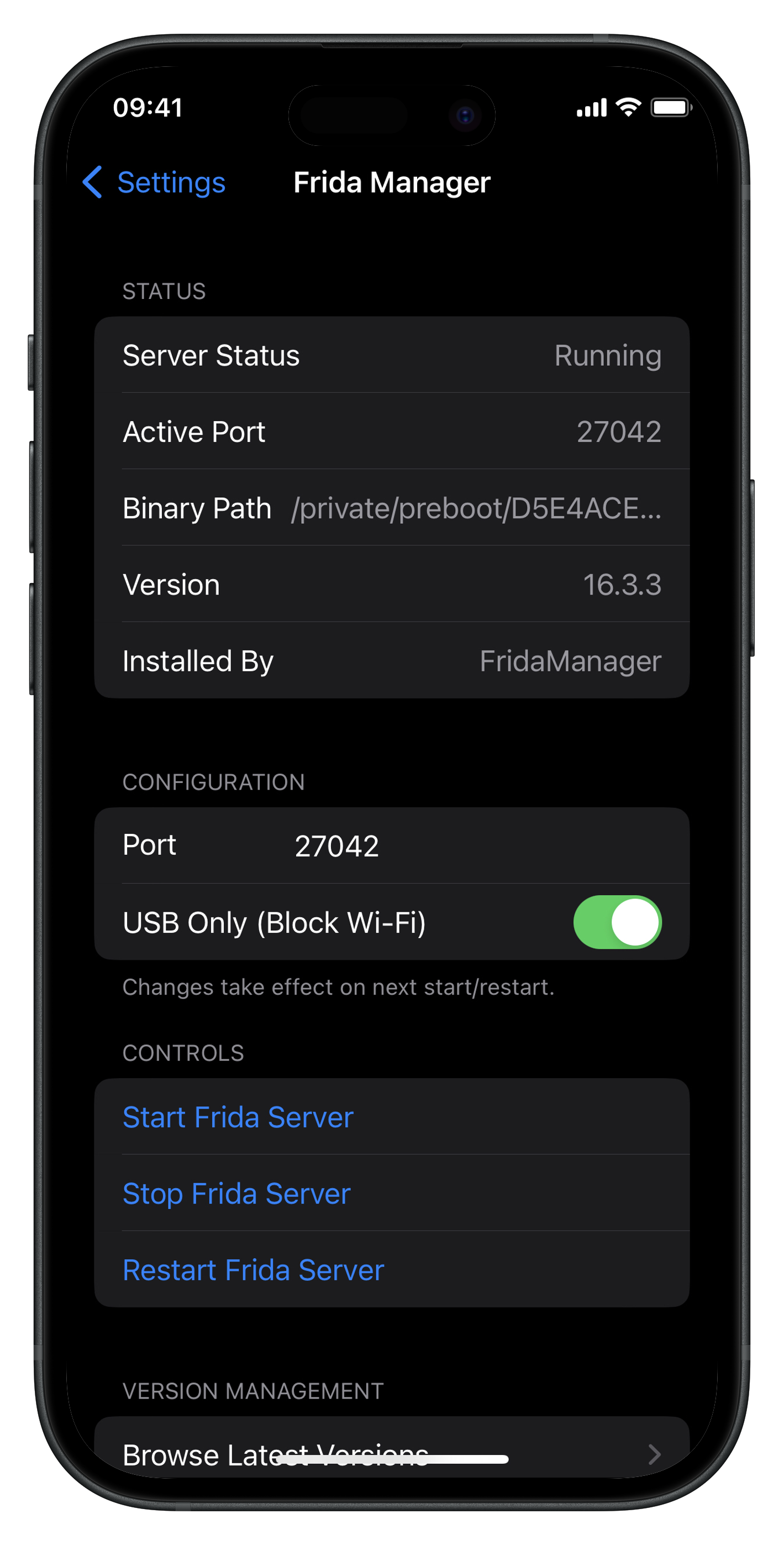
The Status section at the top updates in real time, showing whether the server is running, the active port, binary path and installed version.
Configuration
The Configuration section allows you to change two settings:
- Port — the port frida-server listens on. Default is
27042. Change this if you want to use a non-standard port. - USB Only (Block Wi-Fi) — when enabled (default), frida-server only listens on
127.0.0.1, making it accessible only over USB. When disabled, it listens on0.0.0.0, allowing connections over Wi-Fi.
Configuration changes take effect on the next start or restart. Note that if you change the port
from the default 27042, the frida-ps -U command will not work since the
-U flag is hardcoded to port 27042. Instead, use:
frida-ps -H 127.0.0.1:<your-port>Package Manager Detection
Many users install frida-server through a package manager like Sileo, Zebra, or Cydia rather than through FridaManager. This creates a potential conflict — if FridaManager were to overwrite or uninstall a package manager-managed binary, it could break the package database and cause issues on future updates.
To handle this, FridaManager automatically detects how frida-server was installed. When the
daemon starts or refreshes status, it checks the binary's location. If frida-server lives at the
path FridaManager uses (/usr/local/bin/frida-server), the source is reported as
FridaManager. If it's found at a system path like
/usr/sbin/frida-server — where package managers typically place it — the source is
reported as Package Manager. The Installed By field in the
Status section shows the detected source.
This detection changes what FridaManager allows you to do:
- Start / Stop / Restart — works for both sources. When the source is FridaManager, it spawns and kills the process directly. When the source is Package Manager, it uses
launchctl bootoutandlaunchctl bootstrapto manage the LaunchDaemon (re.frida.server), which is the same mechanism the system uses. - Download / Install a version — blocked when the source is Package Manager. Attempting to download will show an alert explaining that frida-server is managed by a package manager and should be updated through it.
- Uninstall — blocked when the source is Package Manager. You should use your package manager to remove frida.
- Configuration (port, listen address) — works for both sources.
This design means FridaManager works as a companion even if you didn't install frida through it. If you installed frida from Sileo and just want a GUI to start and stop the server or change the port, FridaManager handles that without interfering with your package manager's view of the system.
Maintenance
The Maintenance section provides additional tools:
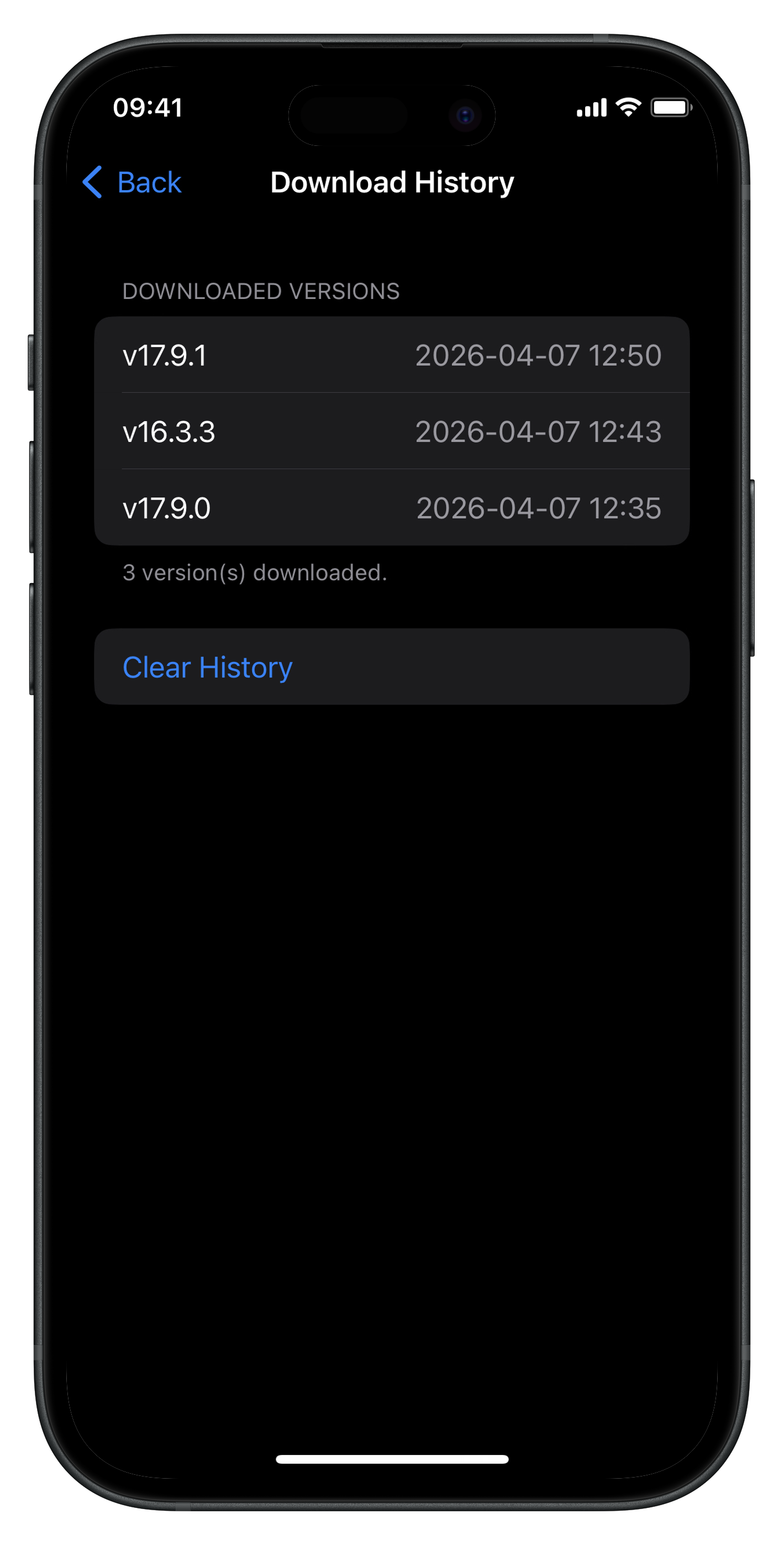
- Download History — shows a log of all versions you've downloaded through FridaManager, with timestamps. This history is cleared when the tweak is uninstalled.
- Uninstall Frida Server — removes the frida-server binary installed through FridaManager. Useful when switching versions or cleaning up.
- View Log — displays the daemon activity log. Useful for debugging if something isn't working as expected.
How It Works
FridaManager consists of two components. The first is a PreferenceBundle loaded
by Settings.app that provides the user interface. The second is a root daemon
(fridamgr) that runs as a LaunchDaemon and handles all privileged operations:
starting and stopping frida-server, downloading binaries from GitHub, managing configuration and
interacting with launchctl for package manager installs.
The two components communicate over a Unix socket, secured by libSandy to ensure only Settings.app can connect to the daemon. This architecture allows the UI to run in the sandboxed Settings process while the daemon performs root-level operations.
Version fetching uses the GitHub Atom feed (/releases.atom) rather than the GitHub
API, avoiding rate limit issues. Downloads are direct from GitHub releases — the daemon fetches
the appropriate .deb, extracts both the frida-server binary and
frida-agent.dylib (which frida needs to inject into processes when spawning apps),
installs them to /usr/local/bin/frida-server and
/usr/lib/frida/frida-agent.dylib respectively and cleans up temporary files.
Source Code
FridaManager is open source. The full source code, build instructions and release packages are available on GitHub: